
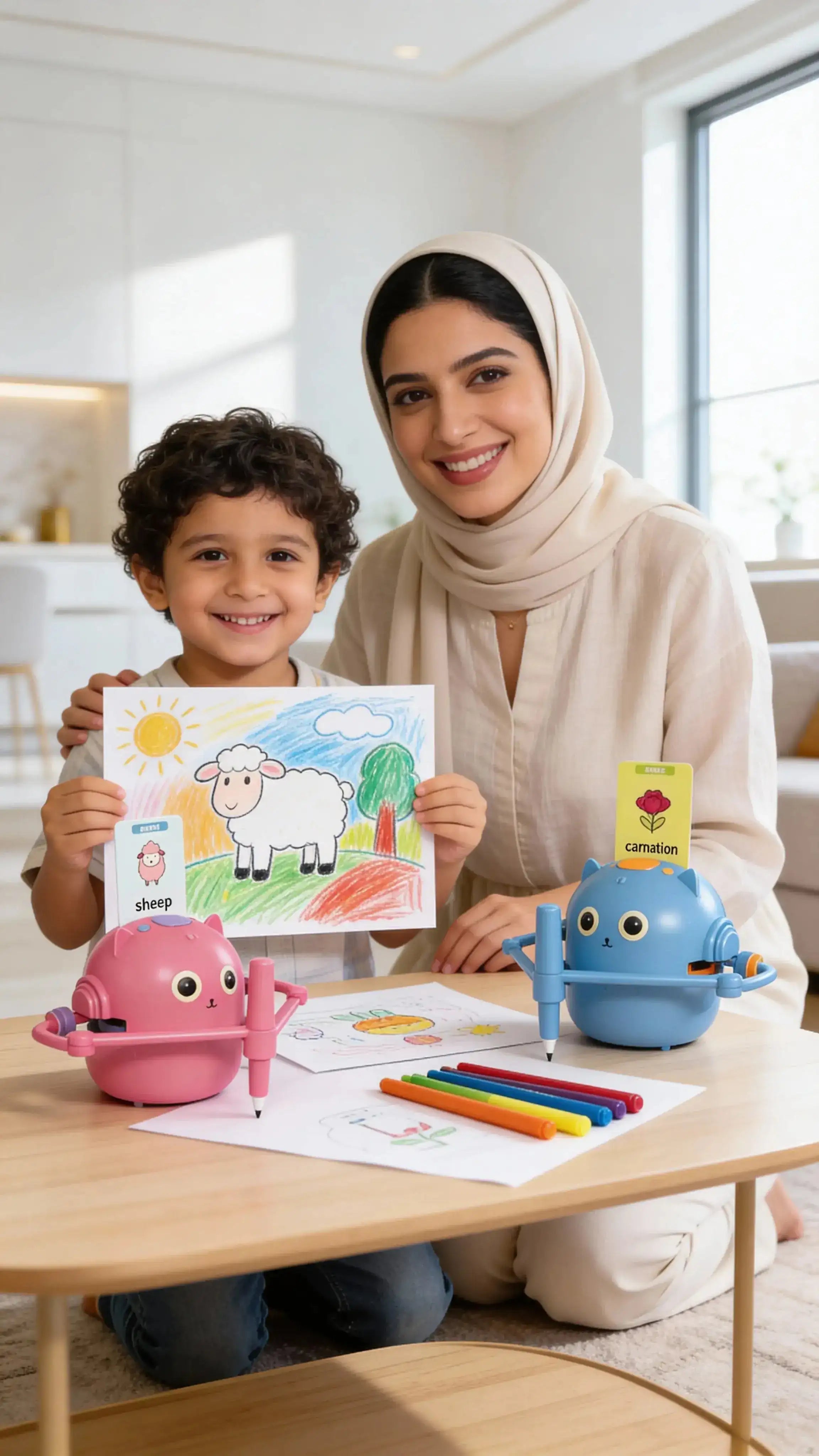
Quick answer: A kids drawing robot is a guided art toy, not a robot that finishes the picture for the child. The TipTop360 model uses physical drawing templates, works without an app or Wi-Fi, and gives children ages 4–12 a screen-free way to follow outlines and add their own colours.
Updated 27 July 2026 for UAE families. Developmental benefits are described as practice opportunities, not guaranteed outcomes.
At a glance: the five questions parents ask most
- How does a kids drawing robot work?
- What age is a drawing robot suitable for?
- Does it need an app, screen or Wi-Fi?
- Does the robot draw the picture for the child?
- What skills can guided drawing help children practise?
1. How does a kids drawing robot work?
Answer: The child selects a physical drawing template, follows the robot’s guided outline on paper, and then completes or colours the picture. The activity turns a blank page into a sequence of manageable drawing steps.
- Prepare a stable workspace. Use a flat table with enough light and keep small accessories organized.
- Select a template. Start with a simple shape before progressing to more detailed drawings.
- Follow the guide. The child traces or copies the outline at a comfortable pace.
- Add personal choices. Encourage different colours, backgrounds, names or story details.
- Repeat selectively. Revisit a favourite template to observe improvement, then introduce a new challenge.
The TipTop360 Kids STEM Drawing Robot is available in blue and pink. Current package contents, price, stock, UAE delivery choices and return eligibility should be checked on the live product page and at checkout.
2. What age is a drawing robot suitable for?
Answer: The TipTop360 drawing robot is recommended for ages 4–12, with adult supervision where appropriate. The best fit depends on the child’s interest, pencil control, patience and ability to follow a simple sequence.
| Stage | Helpful parent approach | Good activity goal |
|---|---|---|
| Younger beginner | Set up the template and guide the first lines | Follow a short outline and choose colours |
| Growing confidence | Let the child complete more steps independently | Improve control and add original details |
| Older child | Use templates as a starting point, not the finish | Create a scene, story or variation from the guided drawing |
A drawing robot is not a developmental assessment. If a child finds pencil tasks unusually difficult or frustrating, focus on enjoyment and ask an appropriate professional for advice rather than forcing repeated tracing.
3. Does it need an app, screen or Wi-Fi?
Answer: No. The TipTop360 model uses physical drawing templates and does not require an app or Wi-Fi. The child’s activity happens on paper, making it a practical screen-free option for home, visits or quiet-time routines.
“Screen-free” should still be used meaningfully. The strongest routine is not simply switching off a device; it is giving the child time to handle materials, make choices, talk about the picture and finish something they can hold or display.
For more ideas, see 10 Screen-Free Drawing Activities for Kids and the Kids STEM Toys & Creative Play UAE collection.
4. Does the robot draw the picture for the child?
Answer: No—the child still controls the pen or pencil. The robot provides guidance; the child follows the lines, corrects movement, chooses colours and decides how to finish the picture.
This distinction matters when comparing products. A toy that prints or completes an image produces an output. A guided drawing activity asks the child to participate in the process. Parents can make that process more creative by asking:
- What could you add that is not on the template?
- Can you draw the same subject in a different size?
- What story is happening in this picture?
- Which part was easiest, and which line took more control?
- Can you try the subject again without the guide?
That transition—from following a model to changing it—is what helps keep guided art from becoming simple copying.
5. What skills can guided drawing help children practise?
Answer: Guided drawing gives children repeated opportunities to practise pencil control, hand-eye coordination, visual sequencing, persistence and creative decision-making. It should be described as supportive practice, not as a guaranteed improvement in intelligence, handwriting or school performance.
The National Association for the Education of Young Children includes drawing, scribbling and writing with crayons, pencils and markers among activities that help children build fine-motor skills. The American Academy of Pediatrics also emphasizes the broad developmental value of play.
Fine-motor practice
Holding a drawing tool and controlling short lines uses the small muscles of the hand and fingers. Repetition can help a child become more comfortable with those movements.
Hand-eye coordination
The child watches a line or shape while directing the hand to follow it. The useful part is the active visual-motor loop—not merely watching the robot.
Sequencing and attention
A guided picture breaks a task into steps. Children practise staying with one step, noticing the next and returning after a small mistake.
Creative confidence
A clear starting point can reduce blank-page hesitation. Parents can protect creativity by inviting changes, extra details and free drawing after the guided portion.
Is a drawing robot a STEM toy?
It can support a STEM-style learning routine when adults connect the art activity to observation, shapes, patterns, sequence and problem-solving. It is not a coding robot, and the TipTop360 model does not require programming. “STEM” is most accurate when it describes how the toy is used—not a promise that the product alone teaches a complete science or engineering curriculum.
Read the supporting guide Learn Drawing for Kids: Step-by-Step UAE Guide for ways to move from templates into independent art.
What should parents check before buying?
- Age fit: recommended for ages 4–12.
- Learning style: best for children who enjoy visual, hands-on guidance.
- Connectivity: no app or Wi-Fi required.
- Contents: confirm the current templates, drawing accessories and power requirements on the live listing and package.
- Consumables: check which paper and markers are compatible and whether replacements are available.
- Supervision: keep small parts and drawing tools appropriate for the child.
For extra compatible markers, see the Kids Robot Drawing Markers.
Who is the TipTop360 drawing robot for?
It is a strong fit for UAE families looking for a screen-free birthday gift, a guided creative activity, or a shared parent-child drawing routine. It may be less suitable for a child who wants a coding robot, a digital drawing tablet or completely unstructured art.
View the Kids STEM Drawing Robot or browse more Kids Gifts UAE.
Related TipTop360 resources
- Kids Robot Drawing Markers
- Learn Drawing for Kids: Step-by-Step UAE Guide
- 10 Screen-Free Drawing Activities for Kids
- Kids STEM Toys & Creative Play UAE
- About TipTop360
Sources
Editorial note: This article avoids medical, therapeutic and guaranteed educational claims. Product details should be checked against the current live listing and package before purchase.


